Which AI coding platform should you actually use to build a real product in 2026?
The answer is not obvious because most “vibe coding” tools are grouped together even though they solve fundamentally different problems. Platforms like Base44, Bolt.new, and Lovable generate and host full applications from prompts, often including authentication, databases, and deployment.
Tools such as Cursor and Windsurf, by contrast, operate inside an existing repository and help engineers modify, refactor, and maintain production code. When teams evaluate these tools side by side without recognizing that distinction, they often select a platform that works for rapid prototyping but creates friction once the product requires real engineering practices like version control, testing, and observability.
This guide clarifies the categories, compares the leading platforms, and shows how to choose the right combination.
The Two Types of Vibe Coding Platforms Most Teams Confuse
Many teams first encounter vibe coding tools through demos where someone builds an application in minutes. Because those demonstrations focus on speed rather than architecture, the differences between platform types are not immediately obvious.
Before comparing individual tools, it helps to understand the structural divide in the vibe coding ecosystem.
Prompt-to-App Platforms vs AI-Native Coding Environments
| Dimension | Prompt-to-App Platforms | AI-Native Coding Environments |
|---|---|---|
| Core purpose | Generate and deploy a working application from prompts | Help developers write and modify code inside an existing repository |
| Starting point | Natural language description of the product | Existing codebase with project structure |
| Infrastructure | Usually includes built-in auth, database, hosting, and integrations | Uses whatever infrastructure the repository already uses |
| Typical users | Non-technical founders, product managers, early-stage teams | Engineers maintaining production software |
| Examples | Base44, Bolt.new, Lovable, Replit, Emergent | Cursor, Windsurf, GitHub Copilot, Claude Code, Cline |
| Strength | Rapid product creation and prototyping | Codebase-level changes, refactoring, testing, and maintenance |
| Limitation | Generated architecture may require refactoring later | Cannot generate a full product from scratch |
Prompt-to-app platforms prioritize speed of product creation, while AI-native coding environments prioritize maintaining and evolving a real codebase.
Why Most Teams Use One Tool From Each Category
Once teams recognize that vibe coding tools fall into two distinct categories, the practical question becomes how those tools fit into a product development workflow. In most cases, teams do not attempt to use a single platform from idea to production.
Instead, they use different tools for two separate responsibilities: generating the initial application and maintaining the codebase once the product begins evolving.
The Prototype Layer — Generating the First Working Application
During early product development, the objective is to produce a usable application quickly enough to test a product concept with real users. Prompt-to-app platforms are designed for this stage.
A founder or product manager can describe the product in natural language and the platform generates a functioning application that includes interface components, backend logic, authentication, and a database schema.
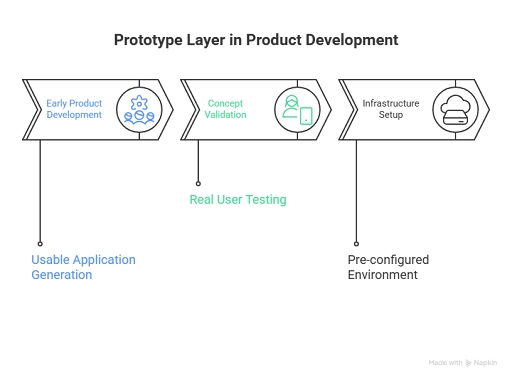
For example, a product team might use Bolt.new to generate a SaaS dashboard with login flows, a PostgreSQL database, and basic CRUD operations for user data.
Because the infrastructure and deployment environment are already configured, the team can validate the product concept without setting up servers, configuring authentication systems, or writing the initial backend framework.
The Engineering Layer — Maintaining and Evolving the Codebase
Once a product begins acquiring users, the development process changes. The team must introduce version control workflows, automated testing, monitoring, and structured refactoring. At this stage, the application is no longer just a prototype; it becomes a codebase that multiple engineers must modify safely.

AI-native coding environments support this phase because they operate directly inside the repository. Tools such as Cursor or Windsurf analyze the structure of the codebase and assist with tasks such as updating logic across multiple files, generating tests for new features, or refactoring components without breaking dependencies.
The Two-Tool Stack Most Startups Adopt
Because these tools address different responsibilities, many startups standardize on a two-tool workflow.
A typical workflow begins with a prompt-to-app platform such as Lovable or Bolt.new to generate the initial application and infrastructure. The generated code is then exported to a GitHub repository. From that point onward, engineers work inside an AI-native coding environment such as Cursor or Windsurf, where they manage architectural changes, implement new features, and maintain production-quality code.
This approach allows teams to generate an initial product quickly while still retaining full control over the application once it becomes part of a long-term engineering project.
Prompt-to-App Platforms That Generate Entire Applications
Prompt-to-app platforms generate full applications from natural language instructions, including the interface, backend services, and deployment setup. Base44, Bolt.new, and Lovable illustrate the main approaches in this category.
Additional tools, such as Replit, v0, and Emergent, extend the model with integrated development environments, UI-focused generation, or conversational app building.
A) Base44
1. Core concept and superpower
- Best for: no-code or low-code builders who want to create business applications quickly with built-in product infrastructure such as authentication, databases, analytics, and integrations.
- Superpower: a “batteries-included” application builder designed for internal tools and SaaS dashboards, with integrated services such as email, payments, SMS messaging, and collaboration features.
2. Features and capabilities
- Frontend: responsive visual editor with AI-driven iteration, allowing teams to modify interface components quickly without writing extensive frontend code.
- Backend: integrated backend environment with database provisioning, authentication and user management, analytics dashboards, and backend functions available in higher-tier plans.
- Integrations: integration credits can be used for services such as LLM calls, file uploads, email or SMS delivery, and database queries.
- Collaboration: multi-user editing and project collaboration capabilities are built into the platform.
- Deployment and export: GitHub integration allows exporting the generated application and supports two-way synchronization for version control and external deployment workflows.
3. Developer experience
- Code quality: suitable for rapid product iteration, although the generated architecture typically follows platform-specific patterns that may require refactoring as the application grows.
- Access to code: developers can edit code within the platform and synchronize changes through GitHub integration, though the project structure remains influenced by platform conventions.
- Debugging: the platform includes debugging and troubleshooting tools intended to help diagnose issues in generated applications.
4. Pricing and limits
- Free tier: includes approximately 25 message credits per month with a daily allowance, along with access to core capabilities such as authentication and database provisioning.
- Paid tiers: Starter, Builder, Pro, and Elite plans provide increased message credits and additional integration credits.
- Usage consideration: teams must understand the difference between message credits and integration credits to estimate usage costs accurately.
5. Ecosystem and risk
- Lock-in risk: moderate. GitHub export improves portability, but teams should evaluate how easily backend functions and integrations can be migrated outside the platform.
- Platform maturity: the ecosystem is evolving rapidly, so many teams treat Base44 as a speed layer for early product development rather than a permanent infrastructure choice.
Bottom line
Choose Base44 when the priority is generating a functional business application quickly with built-in services, and the team is comfortable refining or migrating the architecture later as the product matures.
B) Bolt.new (StackBlitz)
1. Core concept and superpower
- Best for: low-code to professional developers who want a full-stack application generated inside a browser-based development environment.
- Superpower: a browser-native development workflow built on StackBlitz technology, allowing teams to generate an application through prompts, inspect the generated code immediately, and iterate without leaving the browser.
2. Features and capabilities
- Frontend: supports modern web application templates and allows users to modify the interface through prompts before editing the generated code directly in the browser editor.
- Backend: supports database connections and backend services; paid tiers allow teams to select database providers and configure backend functionality.
- Vibe coding UX: strong prompt-driven editing workflow where developers can describe changes and have the platform update the application accordingly, while still providing direct access to the underlying code.
- Collaboration: team plans include organization-level sharing and administrative controls for collaborative development.
- Deployment and export: paid plans support hosting and custom domains, while enterprise plans add governance features. The open variant bolt.diy also documents export workflows such as ZIP downloads, GitHub pushes, and one-click deployment to platforms such as Vercel, Netlify, or GitHub Pages.
3. Developer experience
- Code quality: generated code tends to resemble conventional application code rather than pure no-code structures, though architectural cleanup is often required as the application becomes more complex.
- Access to code: excellent, because the platform functions as a full code environment rather than a visual builder.
- Local development and Git workflows: projects can be exported or pushed to GitHub repositories, allowing teams to integrate the application into conventional development workflows if required.
4. Pricing and limits
- Free: 300,000 tokens per day and 1 million tokens per month; includes hosting with platform branding and smaller upload limits.
- Pro — $25/month: removes the daily token limit, includes starting allocation of 10 million tokens per month, and supports custom domains and expanded hosting capacity.
- Teams — $30/user/month: adds centralized billing, organizational management, and administrative controls for collaborative development.
Gotcha: token-based usage can increase quickly when teams iterate frequently through prompts.
5. Ecosystem and risk
- Lock-in risk: low to moderate. The generated code can be exported, but the platform’s conventions may influence project structure.
- Reliability: generally stable, although heavy prompt iteration can introduce cost variability due to token consumption.
Bottom line
Choose Bolt.new when you want the fastest browser-based path from prompt to a running full-stack application and expect engineers to refine and maintain the codebase after the initial build.
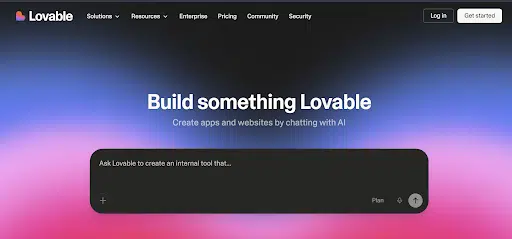
C) Lovable
1. Core concept and superpower
- Best for: non-technical founders and low-code teams that want a full-stack application builder but insist on retaining control over the codebase and infrastructure.
- Superpower: a strong portability model centered on “you own your code and data,” supported by GitHub synchronization, documented self-hosting workflows, and deep integration with Supabase for backend services.
2. Features and capabilities
- Frontend: prompt-driven application generation with fast iteration cycles, typically aligned with modern web development stacks.
- Backend: tightly integrated with Supabase for authentication, database management, and serverless functions, including documented patterns for handling secrets and backend logic.
- Vibe coding UX: supports multi-turn refinement, allowing teams to iteratively modify the application through conversational prompts while preserving the generated codebase.
- Collaboration: includes support for team-based workflows, though collaboration features vary depending on the selected plan.
- Deployment and export: continuous GitHub synchronization allows teams to export the generated project and follow documented steps for self-hosting the application outside the platform environment.
3. Developer experience
- Code quality: generated applications are generally usable as a starting point, though developers should expect to refactor parts of the architecture as the product grows.
- Access to code: strong through GitHub workflows, enabling developers to modify and extend the project within a standard repository.
- Observability and logging: depends on the deployment environment, whether the application is hosted through Lovable’s managed infrastructure or deployed on external infrastructure.
4. Pricing and limits
- Free: includes limited daily credits and requires projects to be public.
- Paid plans: credit-based tiers that provide higher usage limits and additional project capabilities.
Gotcha: because the platform uses a credit-based usage model, the actual cost becomes clearer only after teams build and iterate on a real application.
5. Ecosystem and risk
Lock-in risk: relatively low compared to many prompt-to-app platforms because the generated code can be exported and self-hosted through documented workflows.
Bottom line
Choose Lovable when you want a prompt-driven application builder that allows you to prototype quickly while maintaining a clear path to exporting and operating the application outside the platform.
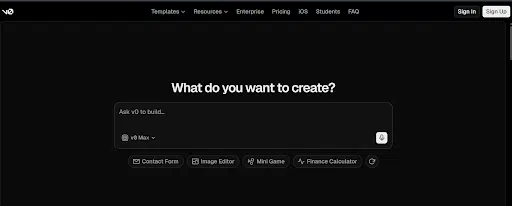
D) v0 (Vercel)
1. Core concept and superpower
- Best for: designers, product managers, and developers who want to generate high-quality UI quickly using the modern Next.js ecosystem.
- Superpower: extremely fast generation of usable interface components within the Next.js + Tailwind + shadcn/ui stack, allowing teams to scaffold production-ready UI layouts in minutes.
2. Features and capabilities
- Frontend stack: generates code using Next.js, React, TypeScript, Tailwind CSS, and shadcn/ui components, aligning with common modern web application stacks.
- Vibe coding UX: strong for UI iteration, allowing users to refine layouts and components through prompts. However, it becomes less flexible when designs move outside its default aesthetic or component structure.
- Import and export: supports importing projects from GitHub or ZIP files, and generated components can be added directly into an existing codebase.
- Backend: although v0 markets itself as an end-to-end builder, most teams primarily use it for UI scaffolding and connect backend services separately.
3. Developer experience
- Code quality: produces usable scaffolding for interfaces, but teams typically refactor aspects such as state management and data-fetching patterns to improve maintainability.
- Access to code: excellent, because the generated output is a standard Next.js codebase that can be edited and extended using normal development tools.
4. Pricing and limits
- Free: includes $5 in monthly credits for generation.
- Premium — $20/month: includes $20 in monthly credits.
- Team — $30/user/month: includes $30 per-user credits and collaboration capabilities.
- Business: enterprise tier that includes training opt-out by default, which is important for organizations with strict data policies.
Gotcha: the credit-based pricing model can feel restrictive if teams attempt to use v0 as their primary development environment rather than a UI scaffolding tool.
5. Ecosystem and risk
Lock-in risk: low. The generated output is a standard Next.js project, which can be deployed anywhere, although deploying through Vercel is typically the simplest path.
Bottom line
Choose v0 when the primary objective is generating high-quality UI quickly within the Next.js ecosystem. It works best as a frontend scaffolding tool rather than a complete product development environment unless the application is heavily interface-driven.
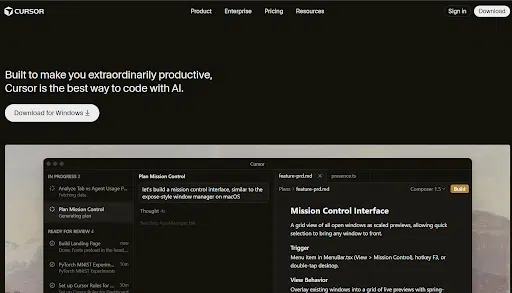
E) Cursor
1. Core concept and superpower
- Best for: professional developers and engineering teams working within established repositories who want AI assistance across an entire codebase.
- Superpower: an AI-native integrated development environment that enables repository-aware editing, multi-file refactoring, and team governance features suitable for larger engineering organizations.
2. Features and capabilities
- Frontend and backend: supports any programming language or framework already used within the repository. Cursor does not impose a development stack because it operates directly inside the existing project environment.
- Vibe coding UX: includes agent-style workflows capable of modifying multiple files simultaneously, making it particularly effective for tasks such as updating shared logic across a codebase or implementing consistent changes throughout a project.
- Collaboration: team plans provide shared development rules, centralized billing, usage analytics, and governance capabilities such as role-based access controls and single sign-on integration.
3. Developer experience
- Code quality: high potential quality because the AI operates within the team’s existing architecture, coding standards, linting rules, and test frameworks.
- Access to code: immediate, since Cursor functions as a full coding environment rather than a generated interface or visual builder.
- Git and local development: integrates naturally with repository workflows, which is one of the main reasons many teams standardize on Cursor as their AI-enabled development environment.
- Debugging and observability: depends entirely on the team’s existing tooling. Cursor assists with code generation and modification but does not replace logging, monitoring, or application performance monitoring systems.
4. Pricing and limits
- Pro — $20/month
- Teams — $40/user/month
- Enterprise — Custom pricing
Gotcha: on very large monorepos, repository indexing and agent workflows can slow down, which has been noted in some enterprise evaluations.
5. Ecosystem and risk
Lock-in risk: very low because Cursor functions as an editor. The application code remains within the team’s repository and infrastructure.
Bottom line
Choose Cursor if your team already maintains a production codebase and wants an AI-native development environment that integrates directly with existing repository workflows.
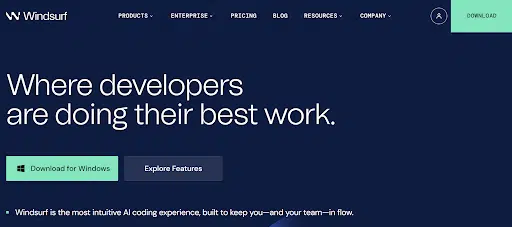
F) Windsurf (Codeium)
1. Core concept and superpower
- Best for: professional developers and engineering teams that want an AI-native development editor with agent capabilities at a competitive price point.
- Superpower: an agent-driven editing workflow through Cascade, allowing developers to execute multi-step development tasks inside the editor while maintaining continuous control over the codebase.
2. Features and capabilities
- IDE-first environment: Windsurf operates as a full development editor rather than an application builder, allowing developers to work directly inside their existing repositories.
- Vibe coding UX: emphasizes a “stay in flow” editing experience where AI assists with generating code, updating files, and executing multi-step development tasks without leaving the editor.
- Team capabilities: the Teams plan includes administrative analytics, role-based access control, single sign-on add-ons, and hybrid deployment options designed for larger organizations.
3. Developer experience
- Code quality: similar to Cursor, the quality of generated code depends primarily on the standards, architecture, and tooling already present in the repository.
- Cascade agent: the primary differentiator. Cascade can handle multi-step tasks such as generating features across multiple files, updating configurations, or coordinating changes across a project rather than simply offering autocomplete suggestions.
4. Pricing and limits
- Pro — $15/month
- Teams — $30/user/month
Gotcha: Windsurf uses a credit-based usage system for certain AI operations, so teams should monitor usage to avoid unexpected consumption in collaborative environments.
5. Ecosystem and risk
Lock-in risk: low because Windsurf functions as a development editor rather than a platform. However, teams evaluating enterprise adoption should confirm governance capabilities such as audit logging, model controls, and data retention policies.
Bottom line
Choose Windsurf when your team wants an AI-first coding environment with strong agent workflows and lower per-seat pricing compared to many competing AI development tools.
G) Emergent
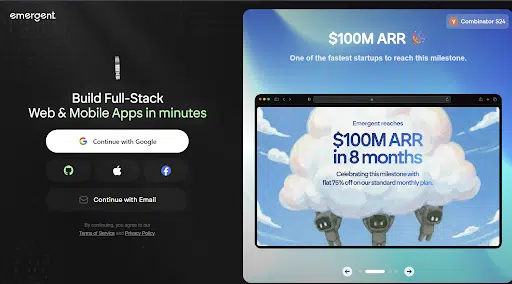
1. Core concept and superpower
- Best for: teams that want to generate production-oriented application code through conversational prompts while retaining the ability to export the project to a repository.
- Superpower: combines prompt-driven application generation with GitHub export and optional managed hosting, positioning itself as a conversational builder that still produces code intended for real repositories.
2. Features and capabilities
- Web and mobile scope: designed to generate applications for both web and mobile environments, with documentation emphasizing the ability to build modern application interfaces.
- GitHub integration: available from the Standard plan onward, enabling teams to export the generated project and continue development inside a conventional repository workflow.
- Technology stacks: commonly reported stacks include modern web frameworks such as Next.js and Tailwind CSS, and mobile development through tools such as Expo, although implementation details can evolve quickly and should be validated in testing.
3. Developer experience
- Access to code: strong if the GitHub integration functions smoothly, since developers can continue modifying the project inside a standard repository environment.
- Debugging: depends largely on the deployment environment, whether the application runs within Emergent’s managed hosting or on external infrastructure.
4. Pricing and limits
- Free — $0/month: includes 10 credits per month.
- Standard — $20/month: includes 100 credits per month.
- Pro — $200/month: provides larger context limits and advanced capabilities for complex applications.
Gotcha: the platform uses a credit-based model, and teams may also incur additional hosting charges if they rely on Emergent’s managed infrastructure.
5. Ecosystem and risk
Lock-in risk: relatively low if GitHub export works as expected, although teams should confirm that backend services and integrations remain portable outside the platform.
Bottom line
Consider Emergent when you want a conversational application builder that produces repository-compatible code while still providing managed hosting as an optional deployment path.
H) Other Major Relevant Tools (2025–2026)
While the platforms above represent the most common tools used in vibe coding workflows, several other AI development tools are widely used within engineering teams.
These tools focus primarily on code assistance inside existing development environments rather than generating full applications.
1. GitHub Copilot (and Copilot CLI / agents)
- Best for: organizations already standardized on GitHub that want to introduce AI-assisted coding without changing existing development workflows.
- Strength: integrates directly with GitHub’s enterprise ecosystem, allowing organizations to apply existing governance controls. It has broad adoption across engineering teams and now includes terminal-based capabilities through Copilot CLI.
- Weakness: compared with tools such as Cursor or Windsurf, Copilot is less oriented toward multi-step agent workflows unless teams invest time in building custom development workflows around it.
2. Claude Code
- Best for: engineers who prefer terminal-driven workflows and want an AI agent capable of operating across files and project directories.
- Strength: effective for repository-level tasks such as modifying files, generating code across a project, and coordinating work with GitHub repositories and CI pipelines.
- Weakness: Claude Code functions purely as a coding assistant and does not provide application hosting or full development environments.
3. Cline (VS Code Agent)
- Best for: development teams using VS Code who want an open-source AI agent that can interact with tools and development environments.
- Strength: strong emphasis on open tooling and extensibility, allowing developers to integrate the agent with external services and development tools.
- Weakness: requires more setup and operational overhead compared with managed platforms, and governance controls depend largely on the team’s own infrastructure.
4. Devin
- Best for: teams experimenting with autonomous software engineering agents that can work on defined development tasks such as writing tests, implementing features, or performing refactoring.
- Strength: supports parallel software engineering agent sessions that can work on multiple tasks simultaneously while generating repository-based code.
- Weakness: still requires experienced engineers to review outputs, supervise development tasks, and integrate generated changes into the production codebase.
Concise Comparison Table
The platforms discussed in this guide vary widely in how they generate code, manage infrastructure, and integrate with engineering workflows. The table below provides a directional comparison to help readers quickly understand where each tool fits.
Ratings are directional (High / Medium / Low) and intended to support quick evaluation rather than precise benchmarking.
| Platform | Ideal User Type | Code vs No-Code Balance | Frontend Quality | Backend Capability | Deployment / Export Flexibility | Pricing Friendliness (Early Stage) | Lock-in Risk |
|---|---|---|---|---|---|---|---|
| Base44 | Non-technical founders, PM-led teams | No-code leaning with optional code edits | Medium–High | High (built-in auth, DB, functions, integrations) | Medium–High (GitHub integration) | Medium (credit model) | Medium |
| Bolt.new | Startups and indie developers who want a browser IDE | Code-first development in browser | Medium–High | Medium–High (database integrations and providers) | High (export paths and deploy options) | Medium (token usage) | Low–Medium |
| Lovable | Founders and PMs prioritizing portability | No-code / low-code with export | Medium–High | Medium–High (Supabase-centric backend) | High (GitHub sync and self-hosting) | Medium (credit model) | Low–Medium |
| Replit | Solo developers and small teams wanting an all-in-one platform | Code-first platform | Medium | Medium | Medium (export possible but platform-centric) | Medium (credit model) | Medium |
| Cursor | Solo developers, startups, enterprise engineering teams | Code-first IDE | Depends on your stack | Depends on your stack | Very High (native Git and local workflows) | Medium (subscription) | Low |
| Windsurf | Solo developers and startups looking for cost-efficient AI coding tools | Code-first IDE | Depends on your stack | Depends on your stack | Very High (native repository workflows) | High (lower Pro pricing) | Low |
| v0 (Vercel) | UI-focused teams building with Next.js | Generates code that you own | High (within Next.js/Tailwind/shadcn stack) | Low–Medium (mostly UI scaffolding) | High (export/import workflows) | Medium (credit-based) | Low |
| Emergent | Teams wanting conversational generation with repository export | Low-code with GitHub path | Medium–High | Medium–High | High (GitHub export claims) | Low–Medium (limited free tier, paid tiers jump quickly) | Medium–Low |
| GitHub Copilot | Enterprise teams already standardized on GitHub | Code-first assistant | Depends on your stack | Depends on your stack | Very High (native GitHub workflows) | High if already paying for GitHub | Low |
| Claude Code | Terminal-first engineers | Code-first agent | Depends on your stack | Depends on your stack | Very High (works with normal repositories) | Medium (plan dependent) | Low |
| Devin | Teams experimenting with autonomous SWE agents | Agent + repository workflows | Depends on your stack | Depends on your stack | High | Low–Medium (expensive at scale) | Low |
Recommendation Framework (How to Choose the Right Platform)
Once the differences between platforms are clear, the next step is selecting the right tool for your specific situation. Rather than starting with a platform comparison, it is more useful to begin with a few diagnostic questions about your product, team structure, and long-term engineering plans.
These questions narrow the decision space and make it easier to identify which type of platform fits your requirements.
Key Diagnostic Questions
Before selecting a platform, teams should answer the following questions in order:
- Is exportable code mandatory?
If the application must eventually live in a normal repository with CI pipelines, automated testing, and deployment workflows, the platform must support exporting a clean codebase.
- Do you need built-in backend infrastructure?
Some platforms generate applications with authentication systems, database schemas, and integrations already configured. Others assume that the team will manage infrastructure independently.
- Is the product primarily interface-driven or backend-heavy?
Dashboard-style applications and internal tools benefit from fast UI scaffolding, while products built around complex workflows often require deeper control over backend services.
- Will engineers maintain the product long-term?
If multiple developers modify the codebase, the development environment must integrate smoothly with version control, testing frameworks, and deployment pipelines.
- Do you have enterprise governance requirements?
Organizations with formal security policies may require features such as single sign-on integration, role-based access controls, audit logs, and model training restrictions.
Decision Paths
Once these constraints are clear, the platform selection usually falls into a few common patterns.
| Path | Scenario | Primary Recommendation | Alternative | Why This Fits |
|---|---|---|---|---|
| Path A | No engineers, export not mandatory | Base44 | Replit | Built-in backend services (auth, DB, integrations) allow teams to launch a working product quickly without managing infrastructure. |
| Path B | No engineers, but exportable code required | Lovable | Emergent | Strong GitHub synchronization and documented self-hosting workflows make it easier to migrate the project into a conventional engineering environment later. |
| Path C | Small team with 1–3 engineers | Bolt.new | Replit | Generates a working application quickly while still allowing engineers to inspect and modify the code inside a browser-based development environment. |
| Path D | UI-heavy Next.js applications | v0 + Cursor | v0 + Windsurf | v0 scaffolds the interface and component structure, while Cursor or Windsurf manages ongoing engineering work inside the repository. |
| Path E | Startup engineering teams (2–10 developers) | Cursor + Bolt.new or Lovable | Windsurf + Bolt.new | Teams standardize on an AI-native IDE for repository work while using prompt-to-app builders for rapid prototyping. |
| Path F | Enterprise teams with governance constraints | Cursor Teams/Enterprise + Vercel | GitHub Copilot Enterprise | These environments integrate more easily with enterprise security controls, identity management systems, and repository governance frameworks. |
This framework simplifies tool selection by mapping platforms to team structure, product complexity, and governance requirements, rather than comparing feature lists alone.
H2: Head-to-Head Matchups (How to Choose Between Similar Tools)
Even after narrowing the platform category, teams often evaluate tools that appear similar on the surface. In practice, the differences usually come down to workflow assumptions, infrastructure ownership, and how much control developers retain over the codebase.
The following comparisons clarify when one platform makes more sense than another.
H3: Base44 vs Bolt.new
Choose Base44 if:
- The primary builder is a non-technical founder or product manager.
- You want built-in business infrastructure such as authentication, databases, analytics, email, or payment integrations without configuring services manually.
- The goal is to generate internal tools or SaaS dashboards quickly.
Choose Bolt.new if:
- Engineers will take over the codebase soon after the initial build.
- You want a browser-based development environment where generated code can be inspected and edited immediately.
- Your workflow already assumes a repository and structured application architecture.
In practice, Base44 prioritizes speed and built-in business features, while Bolt.new prioritizes access to real application code from the start.
H3: Lovable vs Replit
Choose Lovable if:
- Exportable code and long-term portability are important from the beginning.
- Your team wants GitHub synchronization and documented self-hosting workflows.
- You plan to rely on backend services such as Supabase.
Choose Replit if:
- You want development, AI assistance, and hosting in one environment.
- The team prefers a simplified workflow where applications can be built and deployed without configuring external infrastructure.
- Rapid experimentation matters more than repository portability.
Lovable emphasizes code ownership and migration paths, while Replit emphasizes speed through an integrated development platform.
H3: v0 vs Cursor
Choose v0 if:
- The primary task is generating user interface components quickly.
- Your application uses the Next.js, React, and Tailwind ecosystem.
- Designers or product managers need to prototype interface layouts.
Choose Cursor if:
- Engineers need to modify an existing codebase across multiple files.
- The focus is on implementing features, refactoring code, and maintaining architecture.
- Development workflows rely on repositories, testing frameworks, and deployment pipelines.
Many teams use both tools together: v0 for interface scaffolding and Cursor for engineering work inside the repository.
H3: Windsurf vs Cursor
Choose Windsurf if:
- Your team wants an AI-native editor with strong agent workflows at a lower price point.
- Cost efficiency is a priority for small engineering teams.
- Cascade-style multi-step automation fits your development workflow.
Choose Cursor if:
- Your organization prioritizes enterprise governance features such as role-based access control and SSO.
- The team wants a widely adopted AI-native development environment with mature repository integration.
- Standardizing the development environment across multiple teams is a priority.
Both tools operate inside repositories, but Windsurf often appeals to cost-sensitive teams, while Cursor tends to be adopted as a default engineering standard.
What Enterprise Teams Should Evaluate Before Adoption
Enterprise organizations approach AI development tools differently from startups or individual builders. The primary concern is not how quickly a platform can generate an application, but whether it can operate within existing security policies, governance frameworks, and development workflows.
Before adopting a vibe coding platform, enterprise teams typically evaluate a few operational and compliance factors.
Identity, Access Control, and Governance
Most enterprise environments require centralized identity management. Platforms should support authentication methods such as single sign-on (SSO) through providers like Okta or Azure AD, along with role-based access control (RBAC) that allows administrators to define permissions for different users.
Audit logging is also critical. Engineering leaders and security teams need visibility into how AI tools interact with repositories, which prompts generated code changes, and how those changes were deployed.
Without these controls, introducing AI-assisted development into a regulated environment can create compliance risks.
Data Privacy and Model Training Policies
Organizations that work with proprietary source code must evaluate how AI platforms handle data.
Some tools allow organizations to opt out of model training on user prompts or code, while others may retain interaction data to improve their models. Enterprise teams typically require clear documentation on how prompts, repository data, and generated code are processed and stored.
This is particularly important in industries such as finance, healthcare, or defense, where source code may contain sensitive intellectual property.
Integration With Existing Development Infrastructure
Enterprise engineering teams rarely replace their existing development stack. Instead, new tools must integrate with established workflows that include repositories, CI/CD pipelines, observability platforms, and infrastructure management systems.
AI coding tools that operate directly within repositories tend to integrate more easily with these environments. Platforms that require proprietary hosting or runtime environments may introduce additional operational complexity.
Long-Term Maintainability of Generated Code
Another important consideration is how maintainable the generated code will be once the product becomes part of a long-term system.
Enterprise teams typically require code that conforms to internal architecture standards, testing frameworks, and dependency management policies. If the generated code cannot be easily refactored or integrated into existing systems, the short-term speed advantage may not justify the long-term maintenance burden.
Cost Predictability at Scale
Finally, organizations evaluate how platform pricing behaves under sustained usage.
Many vibe coding tools rely on credit or token-based pricing models tied to prompt usage. While these models are manageable for small teams, costs can become difficult to forecast when dozens or hundreds of engineers are using AI tools daily.
Enterprise teams often prefer subscription-based pricing or usage caps that make long-term budgeting more predictable.
The Emerging Development Stack in 2026
Across startups and enterprise teams, a consistent pattern is emerging in how AI development tools are used. Rather than replacing existing engineering workflows, vibe coding platforms are becoming an additional layer in the development stack.
AI Is Becoming a Codebase-Level Interface
Developers increasingly interact with repositories through AI systems capable of modifying multiple files, generating tests, and implementing feature changes across the project. The role of the engineer shifts toward defining architecture and validating system behavior rather than writing every line of code manually.
The Layered Toolchain Is Stabilizing
The ecosystem is converging around a layered workflow: prompt-to-app builders accelerate early product creation, while repository-based AI IDEs support long-term engineering work. Most teams now combine tools from both categories rather than relying on a single platform.
Platform Choice Is a Workflow Decision
Selecting a vibe coding platform is ultimately a workflow decision. Teams that clearly define who builds the initial product, who maintains the codebase, and how infrastructure is managed can choose tools that align with those responsibilities.
Moving From AI-Generated Prototypes to Production Systems
AI development platforms make it possible to generate working applications quickly, but building a sustainable production system still requires careful engineering. Teams often start with a prompt-generated application and then encounter challenges around architecture, infrastructure integration, testing, security controls, and long-term maintainability.
Transitioning from an AI-generated prototype to a production system typically involves restructuring parts of the codebase, introducing automated testing, integrating CI/CD pipelines, and aligning the application with existing cloud infrastructure.
This is where experienced engineering teams make the difference. At RTS Labs, our team works with organizations adopting AI-assisted development to transform rapid prototypes into scalable, production-ready systems.
We help companies evaluate AI development platforms, design maintainable architectures, and integrate AI-assisted coding into established engineering workflows while maintaining governance, security, and operational reliability.
If your team is experimenting with AI-generated applications but needs a clear path to production, contact the RTS Labs team to discuss how we can help you move from prototype to production.
FAQs
1. Can vibe coding platforms replace traditional software developers?
No. These platforms accelerate application generation and routine coding tasks, but they do not replace engineers. Experienced developers are still required to design architecture, review generated code, maintain system reliability, and ensure security and scalability.
2. Are AI-generated applications production-ready by default?
Not always. Most platforms generate functional applications suitable for prototypes or early releases. Production systems typically require additional work such as code refactoring, testing, monitoring integration, and alignment with existing infrastructure and security practices.
3. How do teams avoid lock-in with prompt-to-app platforms?
Teams usually choose platforms that support GitHub export, repository synchronization, or self-hosting options. Maintaining the generated code in a standard repository ensures that the application can be migrated or refactored outside the platform if needed.
4. What skills are still important when using vibe coding tools?
Even with AI assistance, teams still need strong fundamentals in system architecture, debugging, database design, API integration, and testing. These skills ensure that generated applications remain maintainable, secure, and scalable as the product evolves